
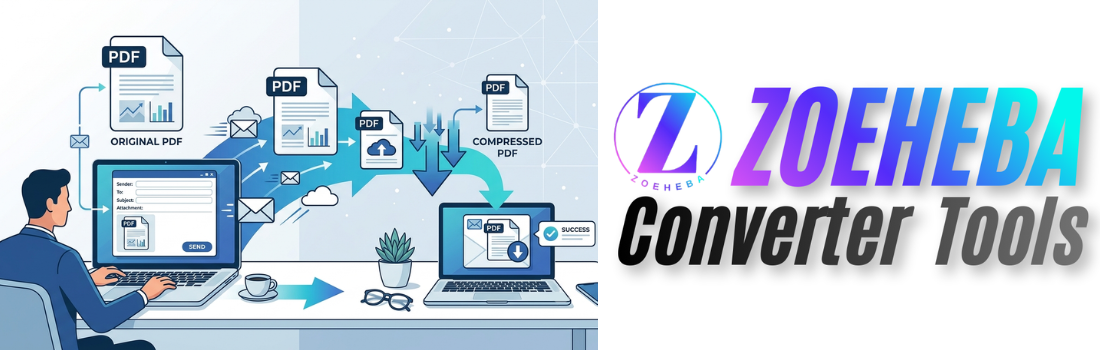
Email is still one of the most common ways to send documents. Whether you're sending a resume, invoice, business proposal, school assignment, or legal document, PDFs are usually the preferred file format because they preserve formatting across all devices.
However, one common problem many people face is that PDF files can become too large to send by email. Most email providers limit the maximum attachment size, and large files take longer to upload and download.
Fortunately, compressing a PDF before sending it is a simple solution. It reduces the file size while keeping the document readable and professional.
In this guide, you'll learn why PDF compression matters, when you should use it, and how it can make sharing documents much easier.
Why Email Services Limit Attachment Size
Most email providers don't allow unlimited attachment sizes.
For example, sending a PDF with many images, scanned pages, or graphics can quickly exceed the allowed limit. When that happens, you may receive an error or have to upload the file to cloud storage instead.
Compressing the PDF often solves the problem immediately.
Benefits of Compressing PDFs Before Emailing
Faster Uploads
Smaller PDF files upload much faster, especially if you're using a slow internet connection.
Faster Downloads
Recipients don't have to wait as long to download your documents, making communication more efficient.
Easier Sharing
Compressed PDFs are easier to send through email, messaging apps, and online forms.
Saves Storage Space
Smaller documents use less storage on both your device and the recipient's device.
Professional Experience
Nobody wants to receive an email saying:
"Attachment is too large."
Compressing your document before sending creates a smoother and more professional experience.
When Should You Compress a PDF?
Compressing a PDF is especially useful when sending:
- Job resumes
- Cover letters
- Business proposals
- Contracts
- School assignments
- Research papers
- Invoices
- Marketing brochures
- Reports
- Presentation documents
Does PDF Compression Reduce Quality?
Many people worry that compression will ruin document quality.
Modern PDF compression tools are designed to reduce unnecessary data while keeping text sharp and images clear.
In most situations, recipients won't notice any visible difference.
Tips for Sending PDFs by Email
Before attaching your PDF, follow these best practices:
- Compress the file if it's large.
- Use a clear file name.
- Double-check the document before sending.
- Keep only the pages you actually need.
- Combine multiple PDFs into one file when appropriate.
- Make sure the document opens correctly.
These simple steps make your emails more professional and easier to manage.
Useful PDF Tools You May Need
Depending on your workflow, you may also find these tools helpful:
- Merge multiple PDF files into one document.
- Delete unnecessary pages before sending.
- Rotate incorrectly scanned pages.
- Annotate PDFs with comments and highlights.
- Convert PDFs to Word, Excel, PowerPoint, or Text.
- Build professional PDF documents online.
Using the right tools can save time and improve document quality before sharing.
Final Thoughts
Compressing PDFs before emailing is one of the easiest ways to make document sharing faster, easier, and more reliable.
Instead of struggling with attachment size limits or slow uploads, reducing your PDF size helps ensure your files reach recipients quickly while maintaining a professional appearance.
Whether you're a student, freelancer, business owner, or office employee, making PDF compression part of your workflow can save time and improve productivity.
👉 10 Best Free PD...
Looking for the best free PDF tools? Discover...
 (1).png)
👉 PDF vs Word: Wh...
Confused between PDF and Word documents? Lear...
👉 Why You Should...
Sending a large PDF by email can be frustrati...
👉 Top 10 PDF Tips...
Students work with PDFs almost every day—whet...
👉 How to Create a...
Learn how to create a professional resume PDF...