
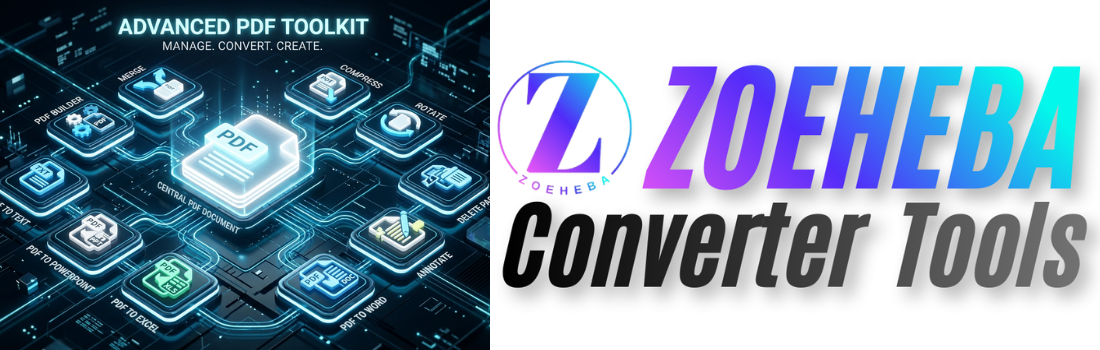
PDF documents have become an essential part of our daily lives. Whether you're a student, office worker, freelancer, or business owner, you probably work with PDF files almost every day.
Sometimes you need to merge multiple PDFs, compress large files, convert PDFs into editable documents, or even add annotations before sharing them.
Instead of installing different software, you can complete all these tasks online using free PDF tools.
Here are ten useful PDF tools that can save you time and improve your productivity.
1. Merge PDF
Need to combine multiple PDF files into one document?
A Merge PDF tool lets you join several PDFs while keeping the original formatting intact.
Perfect for:
• Reports
• Assignments
• Contracts
• Project documents
👉 https://zoeheba.com/merge-pdf
👉 https://zoeheba.com/blog/how-to-merge-pdf-files-online-for-free-fast-secure-guide
2. Compress PDF
Large PDF files can be difficult to upload or email.
Compressing your PDF reduces file size while keeping the document readable.
Ideal for:
• Email attachments
• Government portals
• Resume submissions
• Cloud storage
👉 https://zoeheba.com/pdf-compress
👉 https://zoeheba.com/blog/how-to-compress-pdf-file-online-for-free-reduce-pdf-size-easily
3. Delete PDF Pages
Sometimes a PDF contains unnecessary pages.
Instead of recreating the entire document, simply remove the pages you don't need.
👉 https://zoeheba.com/pdf-page-delete
👉 https://zoeheba.com/blog/delete-pdf-pages-online-for-free-remove-unwanted-pages-easily
4. Rotate PDF Pages
Scanned PDFs often contain pages with incorrect orientation.
Rotate them instantly without changing the content.
👉 https://zoeheba.com/pdf-page-rotate
👉 https://zoeheba.com/blog/how-to-rotate-pdf-pages-online-for-free-fix-pdf-orientation-easily
5. Annotate PDF
Need to review or comment on a document?
Annotate PDF tools allow you to:
• Highlight text
• Add comments
• Insert notes
• Mark important sections
👉 https://zoeheba.com/pdf-annotate
👉 https://zoeheba.com/blog/how-to-annotate-pdf-online-for-free-add-comments-text-highlights
6. PDF to Word
Convert PDF documents into editable Word files.
Perfect when you need to edit contracts, reports, or assignments.
👉 https://zoeheba.com/pdf-to-word-online
👉 https://zoeheba.com/blog/convert-pdf-to-word-online-for-free-fast-accurate-doc-converter
7. PDF to Excel
Extract tables and data from PDFs into Excel spreadsheets.
Ideal for financial reports and business documents.
👉 https://zoeheba.com/pdf-to-excel-online
👉 https://zoeheba.com/blog/convert-pdf-to-excel-online-free-accurate-pdf-to-xlsx-converter
8. PDF to PowerPoint
Turn presentation PDFs back into editable PowerPoint slides.
Great for teachers, students, and business presentations.
👉 https://zoeheba.com/pdf-to-ppt-online
👉 https://zoeheba.com/blog/convert-pdf-to-ppt-online-free-pdf-to-powerpoint-converter-fast-easy
9. PDF to Text
Need only the text from a PDF?
Extract editable text in seconds for research, writing, or documentation.
👉 https://zoeheba.com/pdf-to-text-online
👉 https://zoeheba.com/blog/how-to-convert-pdf-to-text-online-for-free-fast-accurate
10. PDF Builder
Instead of editing existing PDFs, sometimes you need to create one from scratch.
A PDF Builder lets you design resumes, invoices, certificates, forms, and business documents directly in your browser.
👉 https://zoeheba.com/pdf-builder
👉 https://zoeheba.com/blog/free-pdf-builder-online-create-design-pdf-documents-easily
Why Use Online PDF Tools?
Online tools offer many advantages:
• No software installation
• Works on Windows, Mac, Linux, Android and iPhone
• Accessible anywhere
• Easy to use
• Fast processing
• Secure file handling
Why Choose Zoeheba?
Zoeheba provides an all-in-one platform for working with PDF documents.
Instead of visiting multiple websites, you can merge, compress, edit, convert, annotate, and create PDF files from one place.
The tools are free, browser-based, and designed for both beginners and professionals.
Final Thoughts
Using the right PDF tools can save hours of work every week.
Whether you're editing contracts, preparing resumes, organizing reports, or sharing documents online, these free PDF tools help you work faster and more efficiently.
Explore the complete collection of PDF tools on Zoeheba and simplify your document workflow.
👉 10 Best Free PD...
Looking for the best free PDF tools? Discover...
 (1).png)
👉 PDF vs Word: Wh...
Confused between PDF and Word documents? Lear...
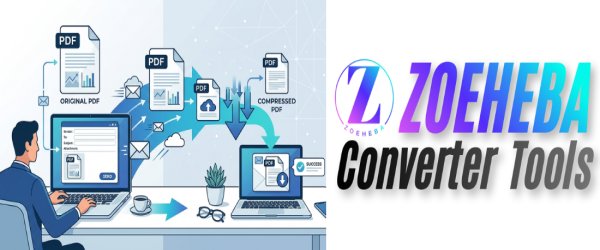
👉 Why You Should...
Sending a large PDF by email can be frustrati...
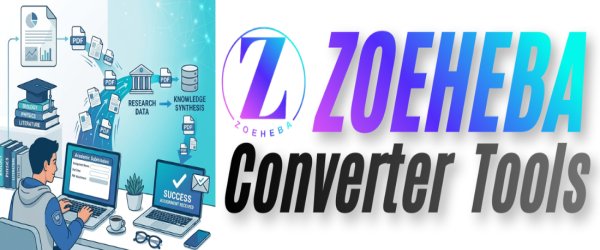
👉 Top 10 PDF Tips...
Students work with PDFs almost every day—whet...
👉 How to Create a...
Learn how to create a professional resume PDF...