
Merge PDF Online Free – How to Combine PDF Files Without Losing Quality
Managing PDF documents is a part of everyday work for students, teachers, freelancers, business owners, and office professionals. Whether you are submitting assignments, sending project reports, sharing invoices, or preparing business proposals, you often end up with several PDF files instead of a single organized document.
Instead of sending multiple files separately, you can merge them into one PDF. A single document is easier to store, share, print, and manage.
The good news is that you don't need to install any software to do this. With Zoeheba's free Merge PDF tool, you can combine multiple PDF files directly from your browser in just a few clicks.
What Does It Mean to Merge PDF Files?
Merging PDF files means combining two or more PDF documents into a single PDF file while keeping the original formatting and page quality.
For example, if you have:
- Resume.pdf
- CoverLetter.pdf
- Certificates.pdf
You can merge them into one professional document before sending them to an employer.
This saves time and makes your documents look more organized.
Why Do People Merge PDF Files?
There are many situations where merging PDF files is useful.
Job Applications
Many employers prefer receiving a single PDF containing your resume, cover letter, and supporting documents instead of multiple attachments.
Student Assignments
Students often create assignments using different files. Combining everything into one PDF makes submission much easier.
Business Documents
Businesses regularly merge invoices, quotations, purchase orders, contracts, and reports into one document before sharing them with clients.
Personal Documents
You may want to combine scanned ID cards, certificates, bank statements, or travel documents into a single PDF for easy storage.
Benefits of Using an Online PDF Merger
Using an online PDF merger offers several advantages.
- No software installation required.
- Works on Windows, macOS, Linux, Android, and iPhone.
- Easy to use for beginners.
- Saves storage space because you don't need additional applications.
- Maintains document quality.
- Allows you to organize files before sharing.
How to Merge PDF Files Using Zoeheba
Using Zoeheba is simple.
Step 1: Open the Merge PDF tool.
Step 2: Upload all the PDF files you want to combine.
Step 3: Arrange the files in the correct order.
Step 4: Click the Merge button.
Step 5: Download your newly merged PDF.
The entire process usually takes only a few moments, depending on the file size.
Tips for Better Results
Before merging your files, make sure they are arranged in the correct order.
Remove unnecessary pages if needed.
Rename the final PDF with a meaningful file name so it is easy to identify later.
If the merged document becomes too large, you can use Zoeheba's Compress PDF tool to reduce the file size without significantly affecting quality.
Related PDF Tools
After merging your files, you may also find these tools useful:
- Compress PDF
- Delete PDF Pages
- Rotate PDF Pages
- PDF Builder
- PDF to Word
Using these tools together can help you manage PDF documents more efficiently.
Frequently Asked Questions
Can I merge PDF files for free?
Yes. Zoeheba allows you to merge PDF files online for free.
Will the quality of my PDF change?
No. The goal is to preserve the original document quality during the merging process.
Can I merge more than two PDF files?
Yes. You can combine multiple PDF documents into a single file.
Does it work on mobile devices?
Yes. Zoeheba works on smartphones, tablets, laptops, and desktop computers.
Do I need to create an account?
No. You can use the Merge PDF tool directly without creating an account.
Conclusion
Merging PDF files is one of the easiest ways to keep your documents organized and professional. Whether you're preparing job applications, business reports, school assignments, or personal records, combining multiple PDFs into a single file makes sharing and managing documents much more convenient.
If you're looking for a fast, secure, and free way to combine PDF files online, Zoeheba's Merge PDF tool is a simple solution that works directly in your browser without requiring any software installation.
👉 🔗 Try it now: https://zoeheba.com/merge-pdf
👉 How to Merge PD...
Learn how to merge PDF files online for free...
👉 How to Delete P...
Remove unwanted pages from your PDF file onli...
👉 How to Compress...
Reduce your PDF file size online for free wit...
👉 How to Rotate P...
Rotate PDF pages online for free and fix inco...
👉 How to Annotate...
Annotate PDF files online for free with Zoehe...
👉 How to Convert...
Convert PDF to text online for free with high...
👉 Convert PDF to...
Convert PDF to Word online for free with high...
👉 Convert PDF to...
Convert PDF to PPT online for free with high...
👉 Convert PDF to...
Convert PDF to Excel online for free with hig...
👉 Free PDF Builde...
Create professional PDF documents online for...
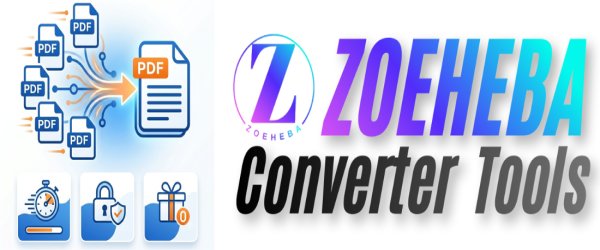
👉 Merge PDF Onlin...
Need to combine multiple PDF files into one d...
.png)
👉 Delete PDF Page...
Need to remove unwanted pages from a PDF docu...